Course · 2021
BibTalk | 毕毕叨叨
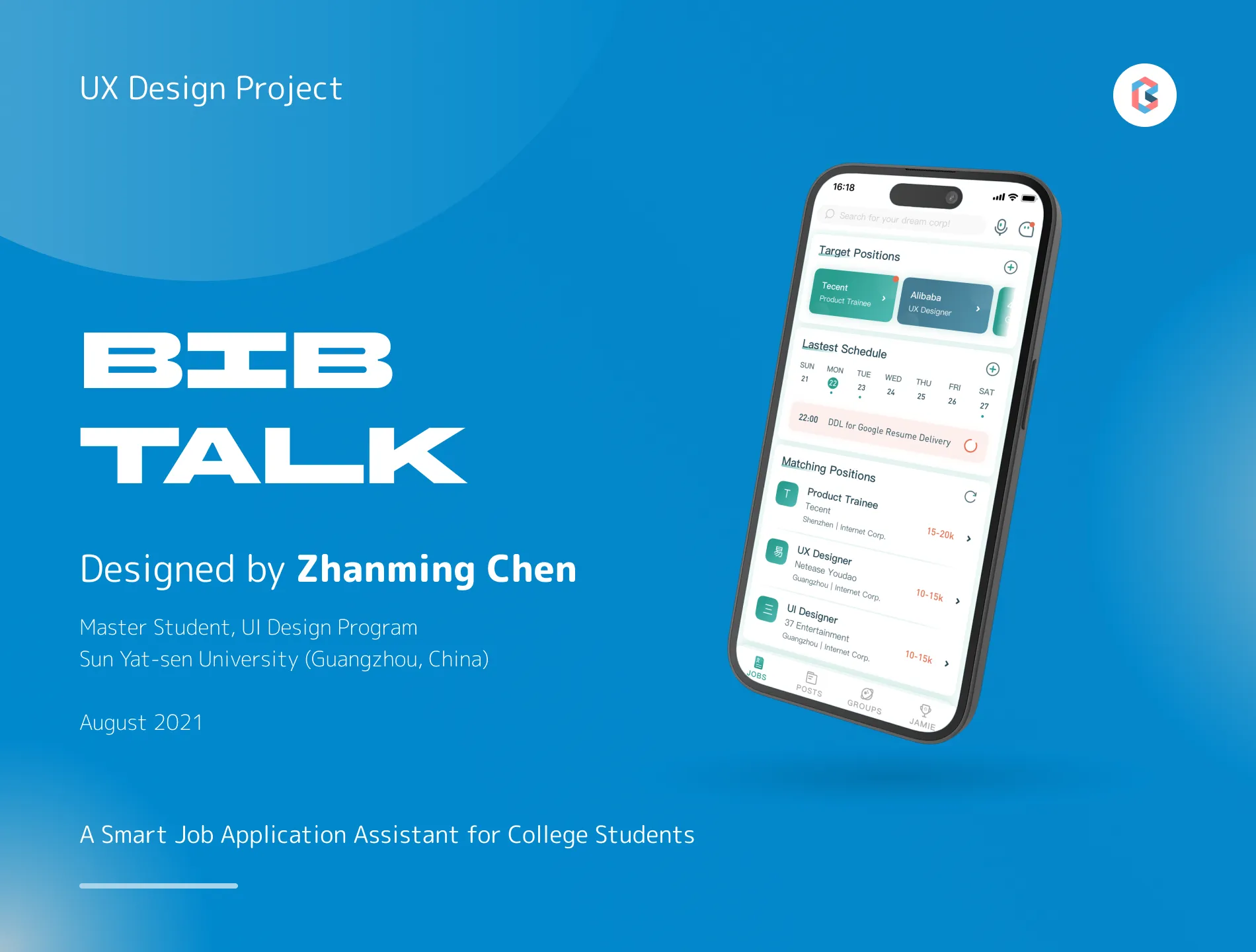
A mobile app prototype that helps college students in China keep track of job hunting spread across many platforms.
Summary
- Role
- Designer Research to high-fidelity prototype
- Context
- UI Design Program Sun Yat-sen University
- Format
- Mobile app, high-fidelity prototype
- Designed for
- College students in China who are job hunting
Overview
BibTalk is a high-fidelity mobile app prototype — a smart job application assistant for college students in China. I designed it in August 2021 during the UI Design Program at Sun Yat-sen University, covering the full process from problem framing and research to the final interactive prototype.
Summary
- Role
- Designer Research to high-fidelity prototype
- Context
- UI Design Program Sun Yat-sen University
- Format
- Mobile app, high-fidelity prototype
- Designed for
- College students in China who are job hunting
Design Problem
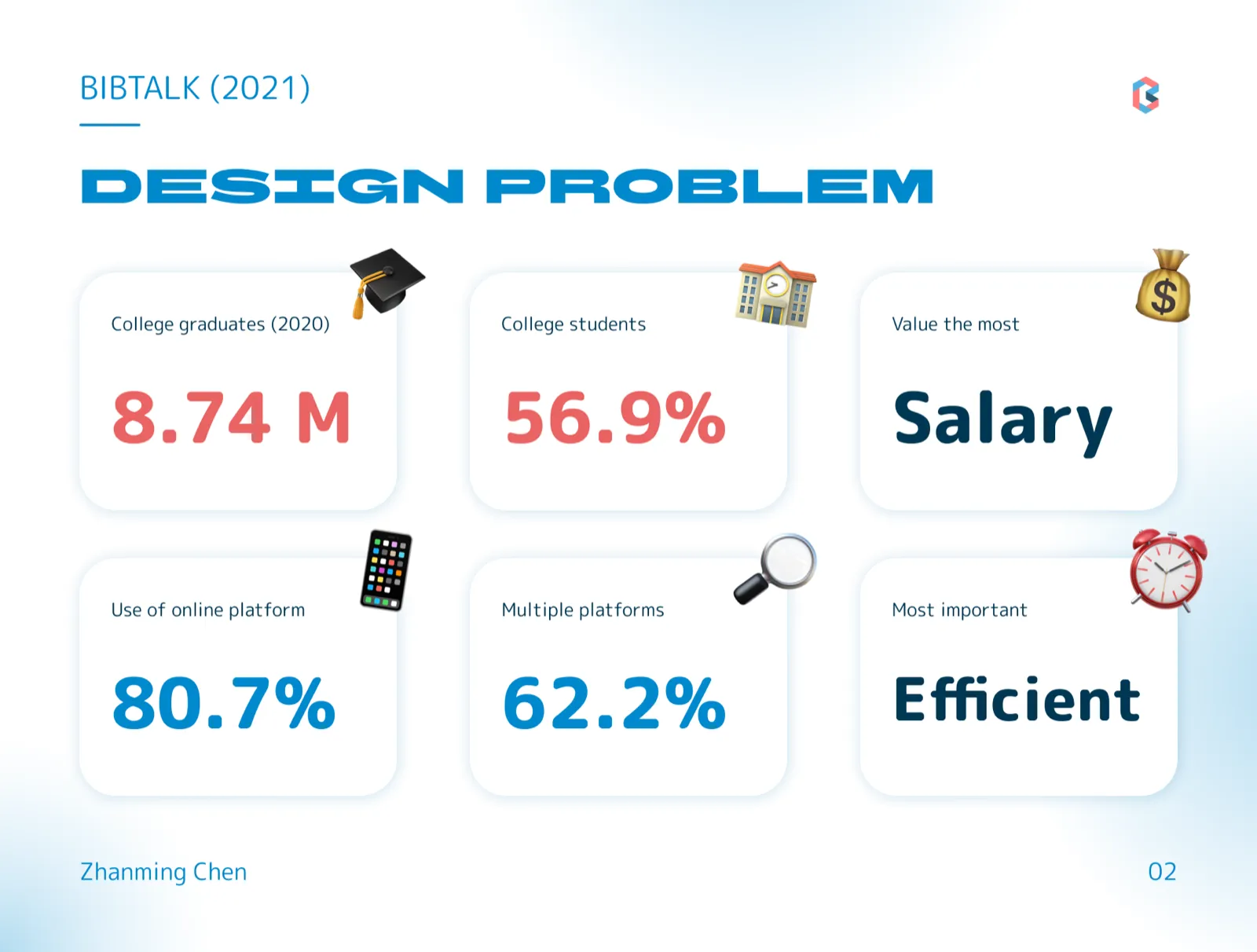
China saw 8.74 million college graduates in 2020, and 56.9% of college students entered the job market. While 80.7% of them relied on online platforms during job hunting, 62.2% had to juggle multiple platforms at once — and what they needed most was an efficient way to manage the whole process.
Market Research
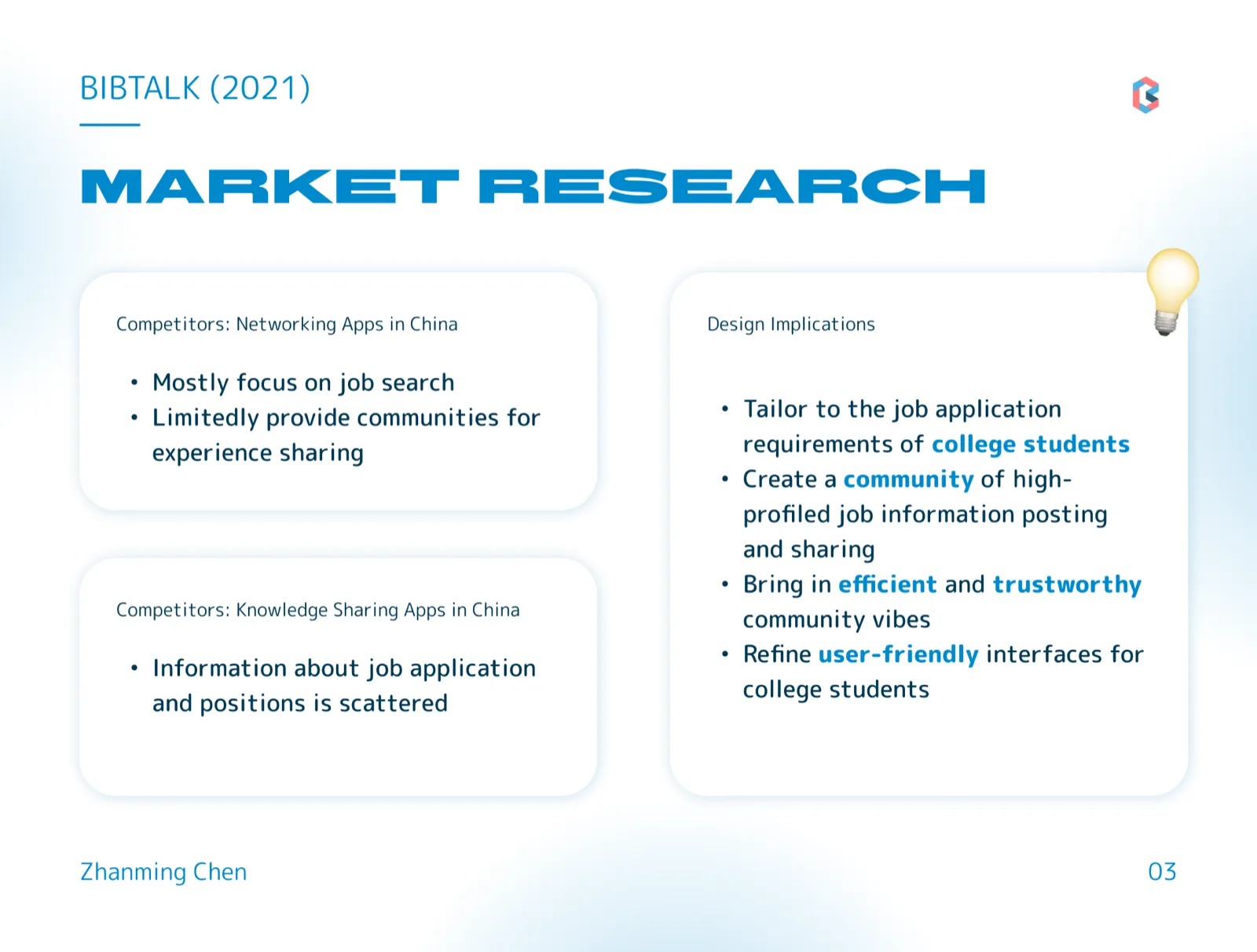
Competitive analysis of networking and knowledge-sharing apps in China showed that existing products focus narrowly on job search, offer limited communities for experience sharing, and scatter application information across platforms. This pointed to four design implications: tailor the product to college students’ application needs, build a community for high-quality job information sharing, foster efficient and trustworthy community vibes, and refine user-friendly interfaces for students.
User Research
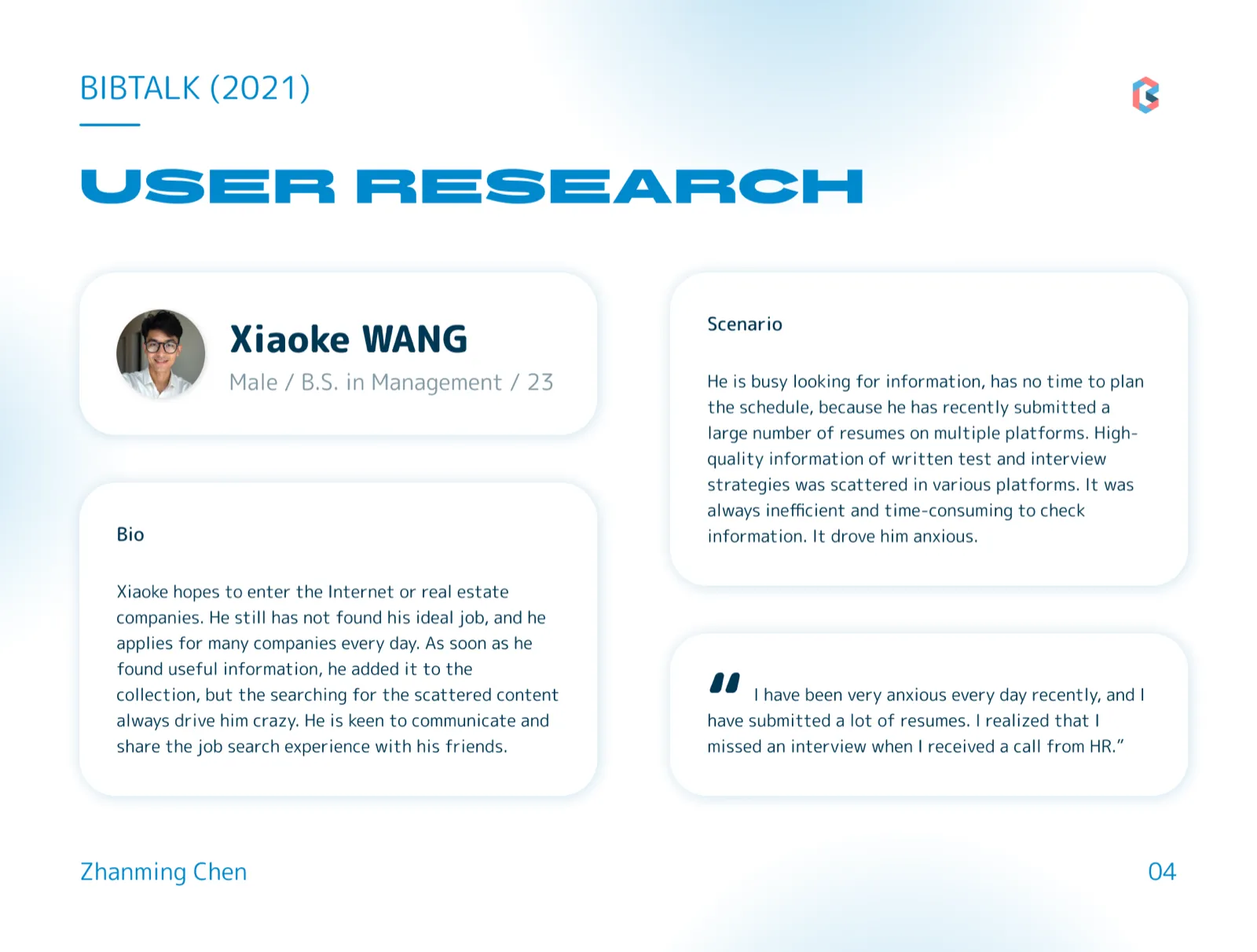
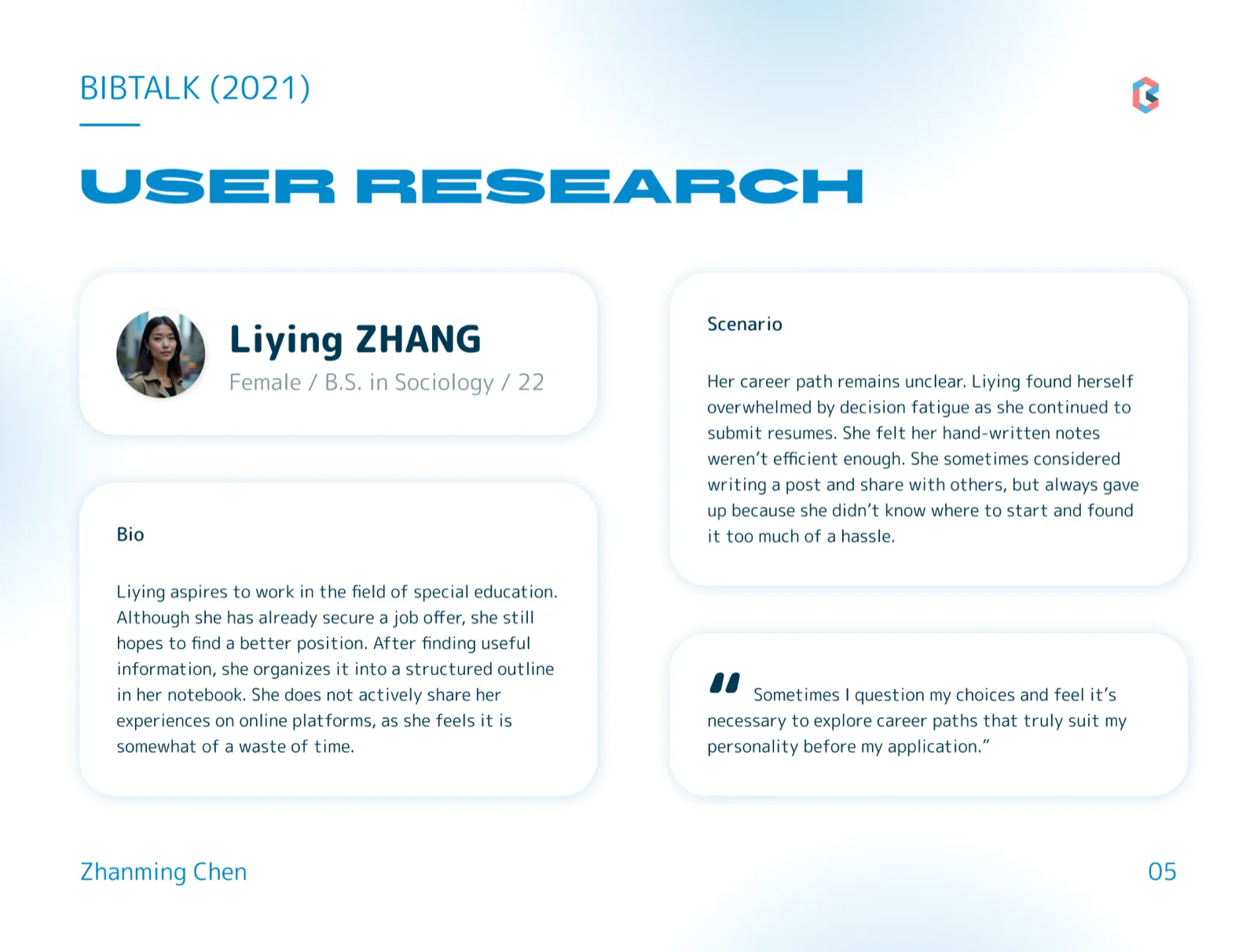
Based on semi-structured interviews with potential end-users, I created two personas capturing the core pain points: an active applicant overwhelmed by scattered information and missed interview schedules, and a cautious planner struggling with decision fatigue and inefficient hand-written notes.
Features
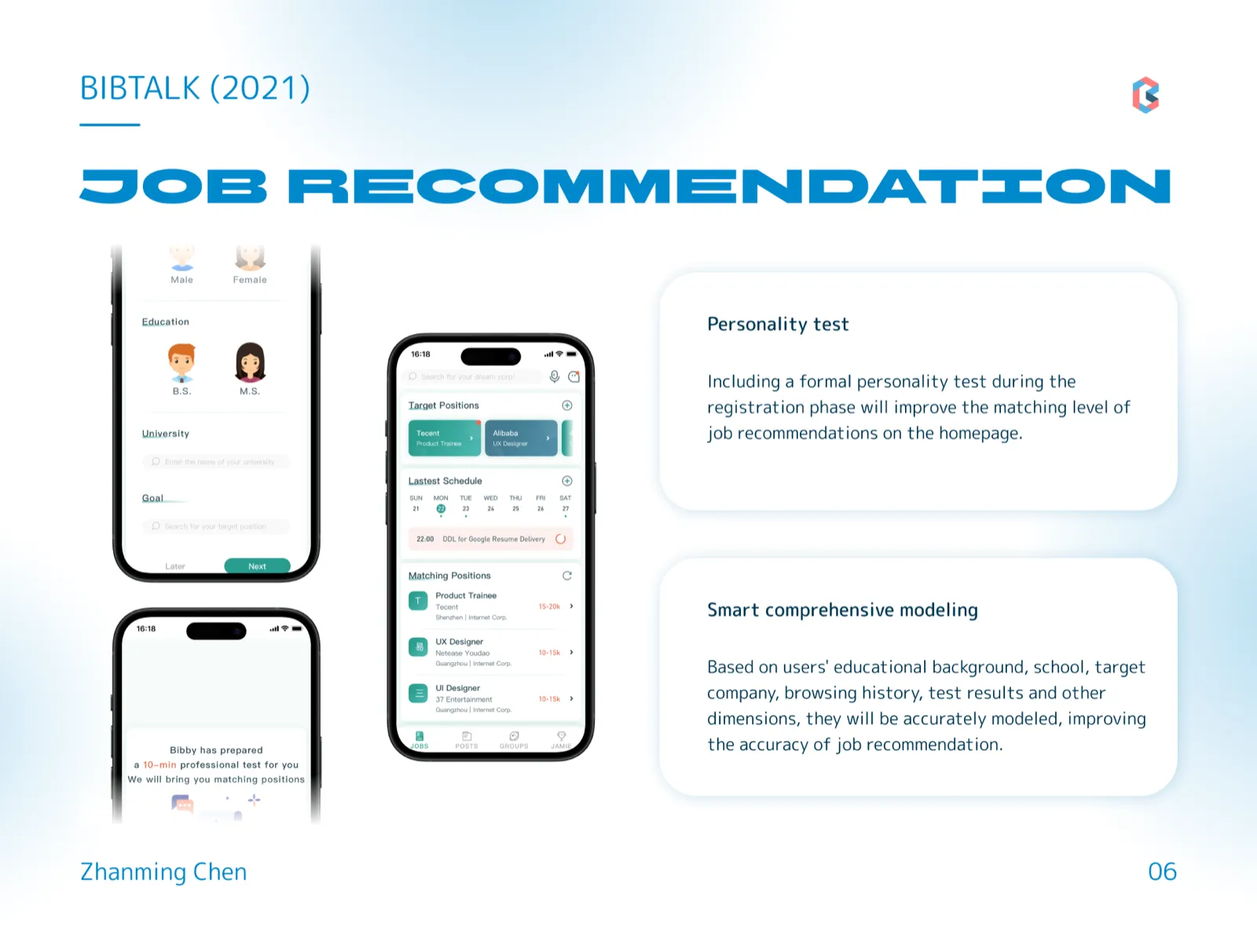
Feature 1: Job Recommendation
A personality test during registration and comprehensive user modeling — educational background, school, target companies, browsing history, and test results — improve the accuracy of job recommendations on the homepage.
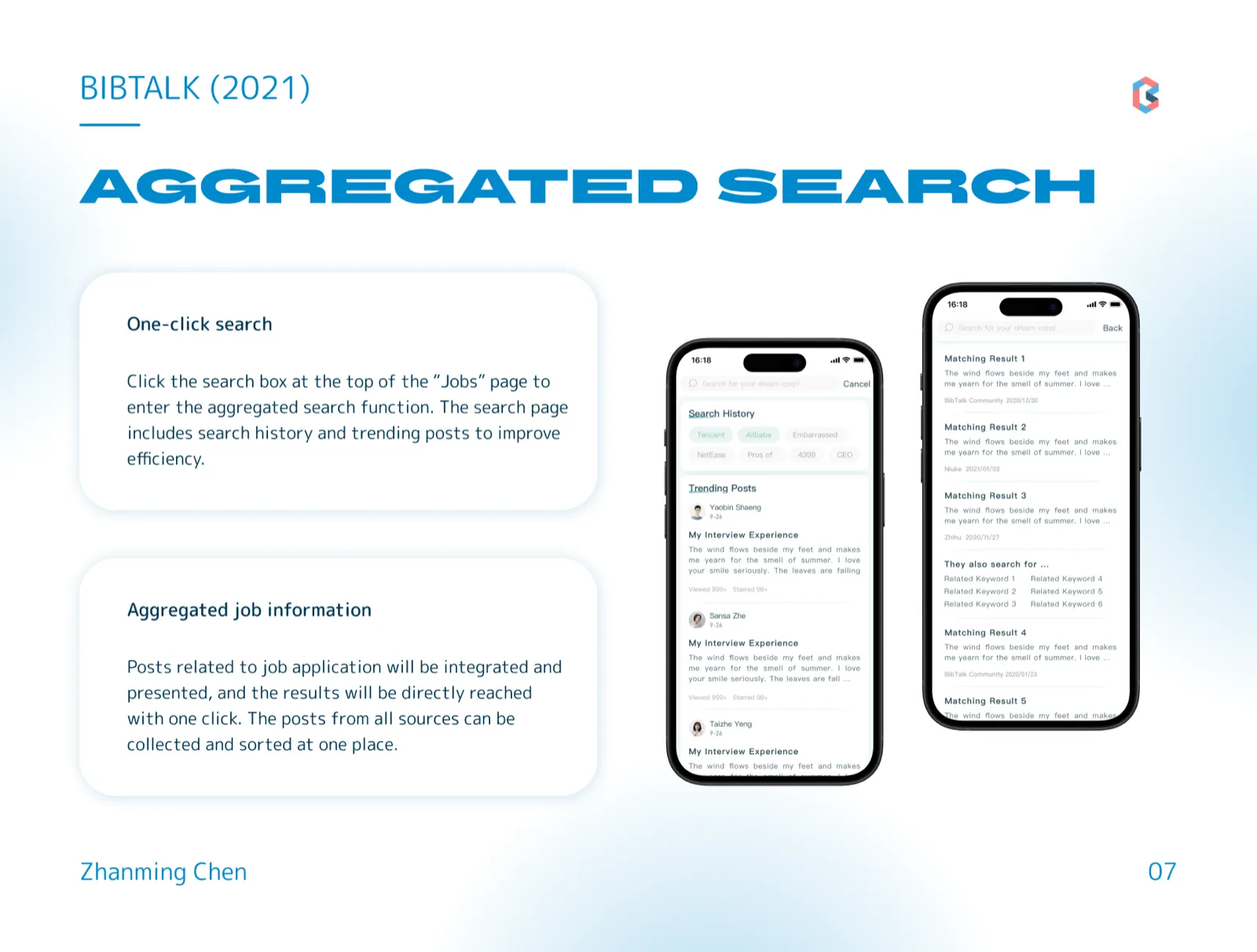
Feature 2: Aggregated Search
One-click search from the “Jobs” page aggregates job-application posts from all sources into a single result list, with search history and trending posts surfaced to improve efficiency.
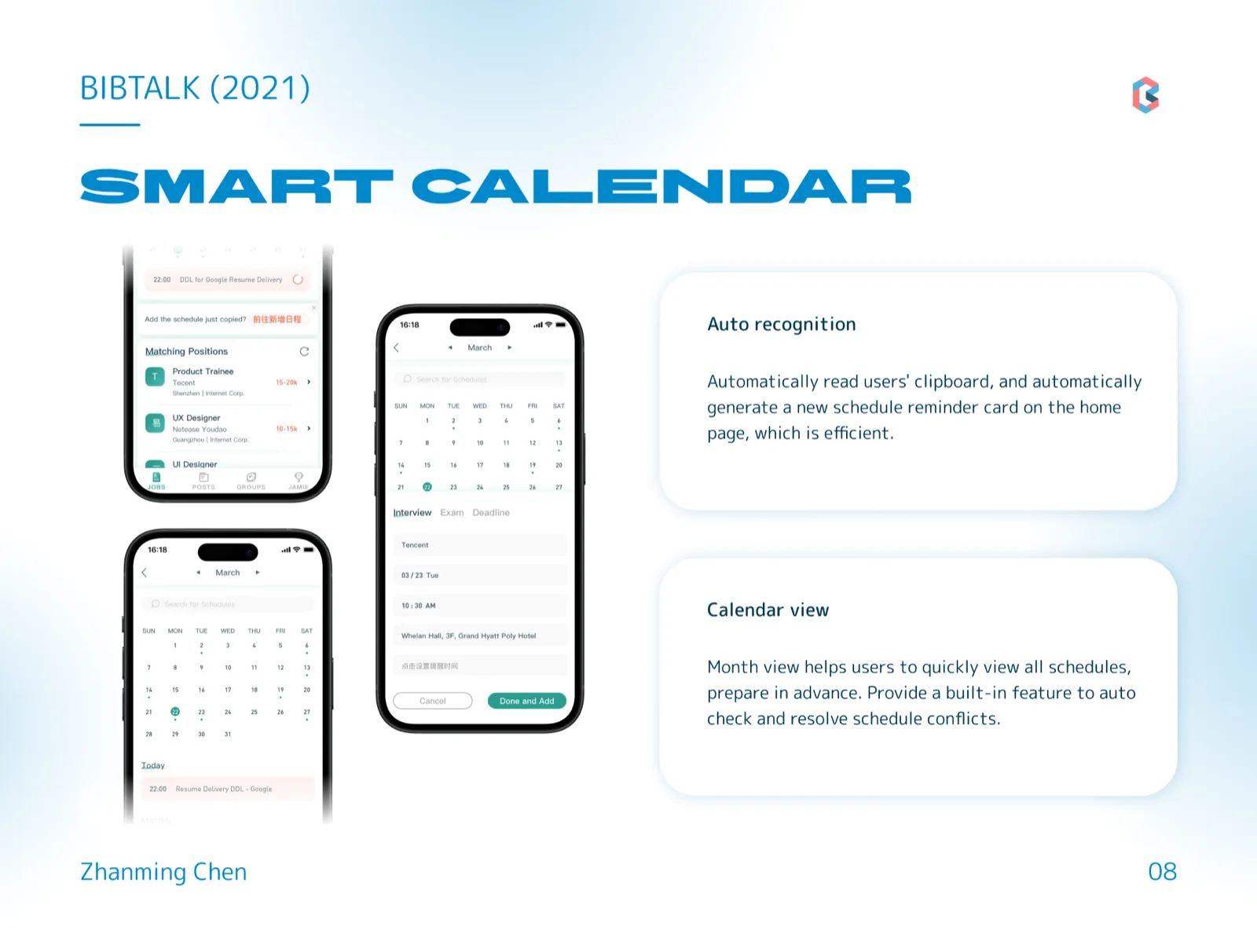
Feature 3: Smart Calendar
BibTalk automatically recognizes schedules from the clipboard and generates reminder cards on the home page. A month view helps users see all schedules at a glance, with built-in detection and resolution of schedule conflicts.
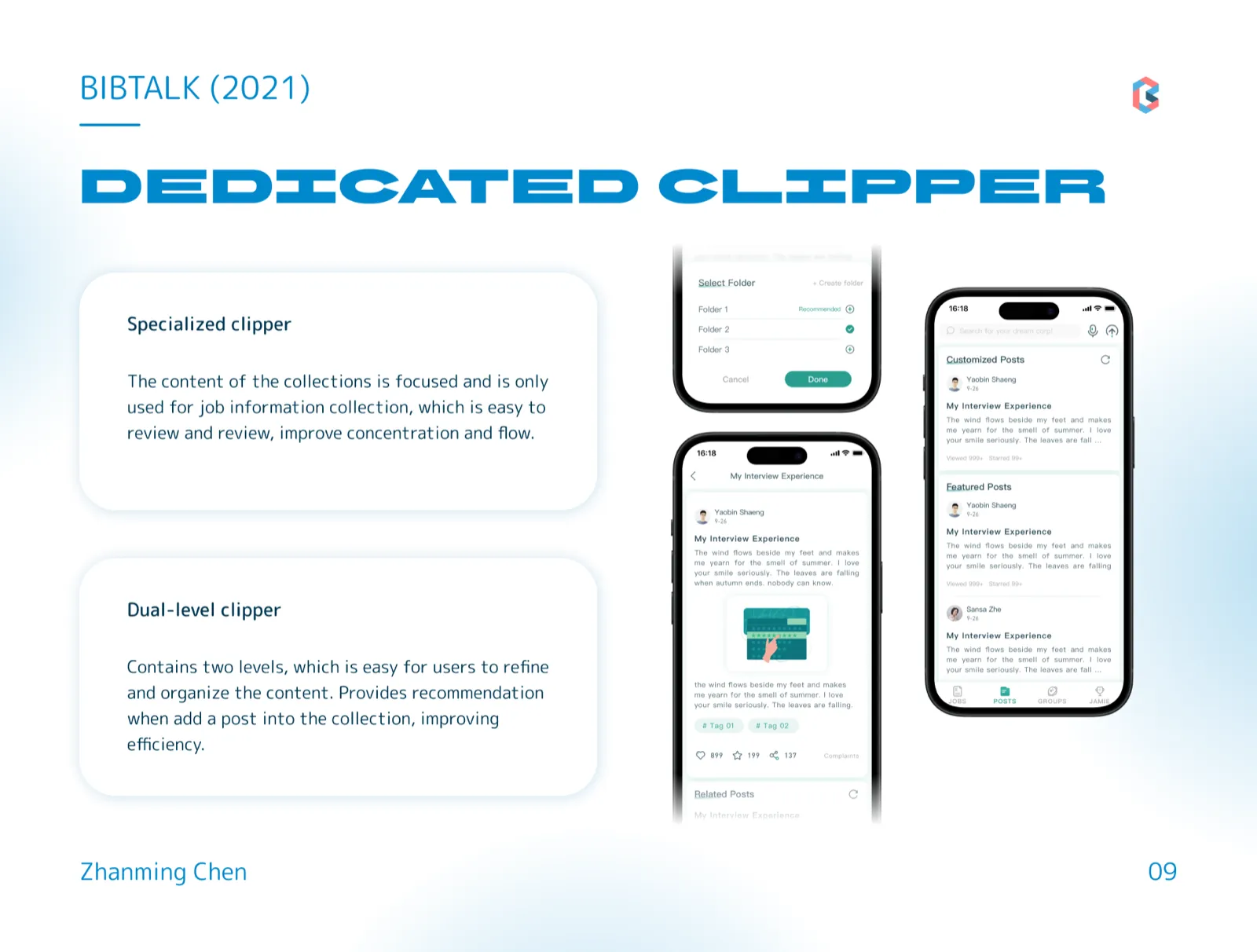
Feature 4: Dedicated Clipper
A specialized, dual-level collection system dedicated to job information keeps saved content focused and easy to review, with folder recommendations offered whenever a post is added.
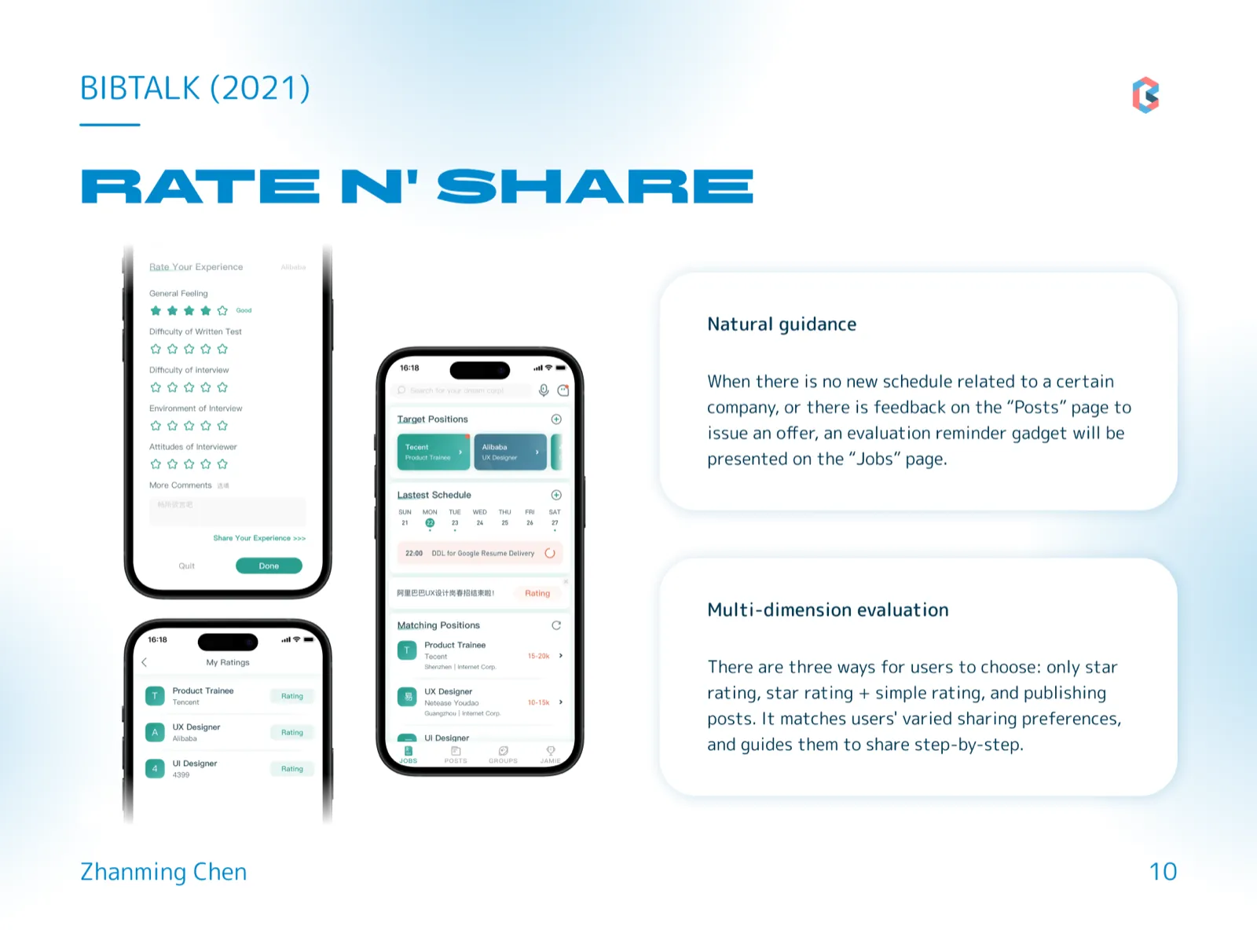
Feature 5: Rate n’ Share
Evaluation reminders appear naturally on the “Jobs” page when an application wraps up, and users choose among three sharing levels — star rating only, star rating with a short review, or a full post — matching varied sharing preferences and guiding them to share step by step.
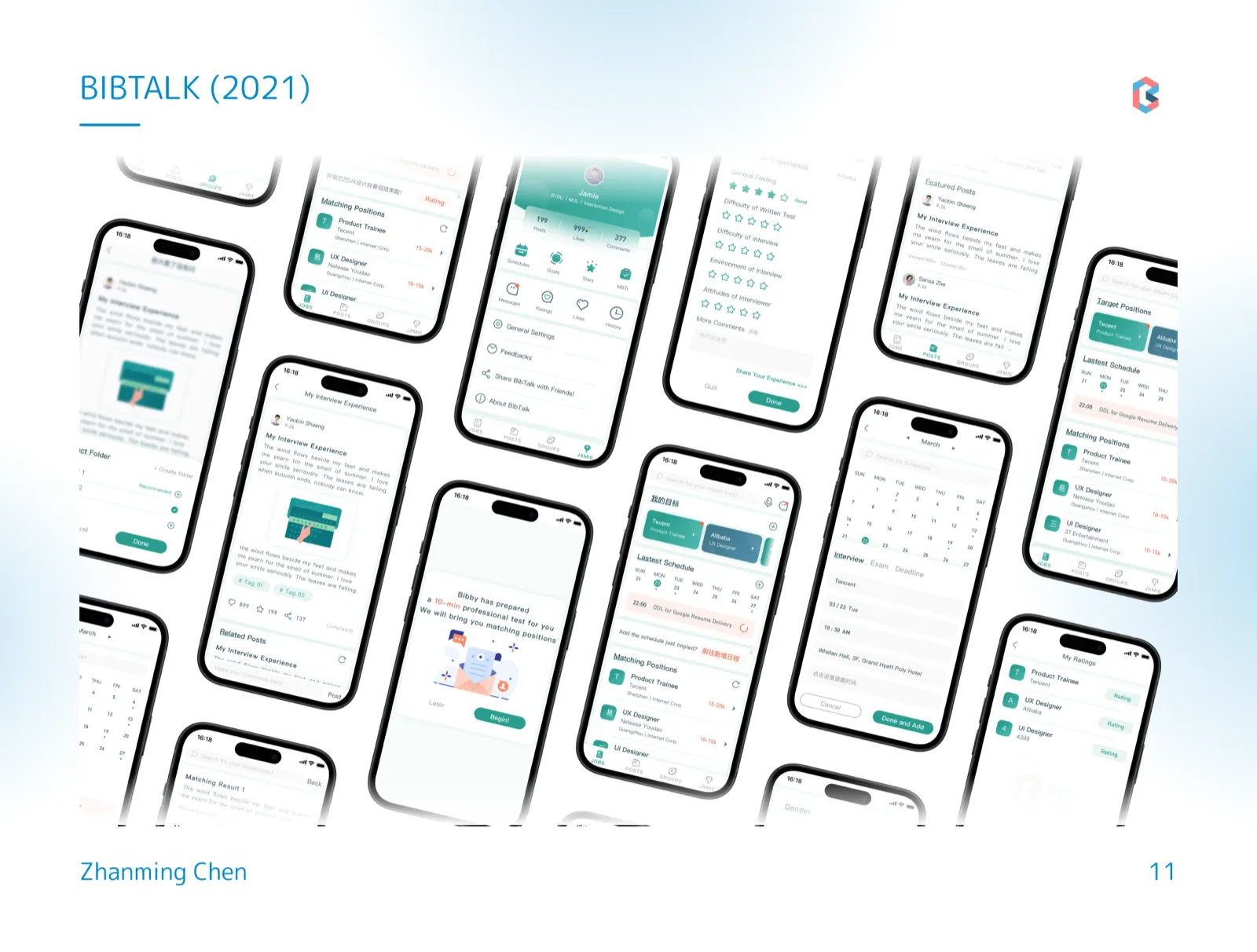
All Pages
Colophon
- Credits
-
- Zhanming Chen
- Date
- August 2021
- Methods
-
- Competitive analysis
- Semi-structured interviews
- Personas
- Features
-
- Job recommendation
- Aggregated search
- Smart calendar
- Dedicated clipper
- Rate n' Share
 Next project, number 1 of 6: ReRoot: Modular Cropping System for Resilient Agriculture An affordable, modular vertical cropping system for small-scale organic farmers and urban growers. Crates on A-frames, made from recycled farm waste, fit irregular plots and cut down on bending and squatting. Open project